
Uzbekistan e-Visa Online Application Overview
Learn how to apply for Uzbekistan e-Visa online in about 15–20 minutes through our secure six-step wizard — no embassy visit required.
- Complete the form, upload documents and pay online.
- Standard processing: 3–4 working days after payment.
- Approved e-Visa sent to your email — see sample format opposite.
- Present the approval letter with your passport at entry.
Review document requirements, photo specifications and visa fees before you start.

How to Apply for Uzbekistan e-Visa Online: 6-Step Procedure
Each Uzbekistan e-Visa application step below matches the live online wizard. You can pause and resume within the same browser session.
-
Step 1: Select Citizenship & Uzbekistan e-Visa Type
Begin your Uzbekistan e-Visa online application by confirming who you are and how you will travel.
- Select your citizenship (passport nationality) to confirm eligibility.
- Choose document type — ordinary or refugee passport.
- Pick entry type (single, double or multiple) and purpose (tourism or business).
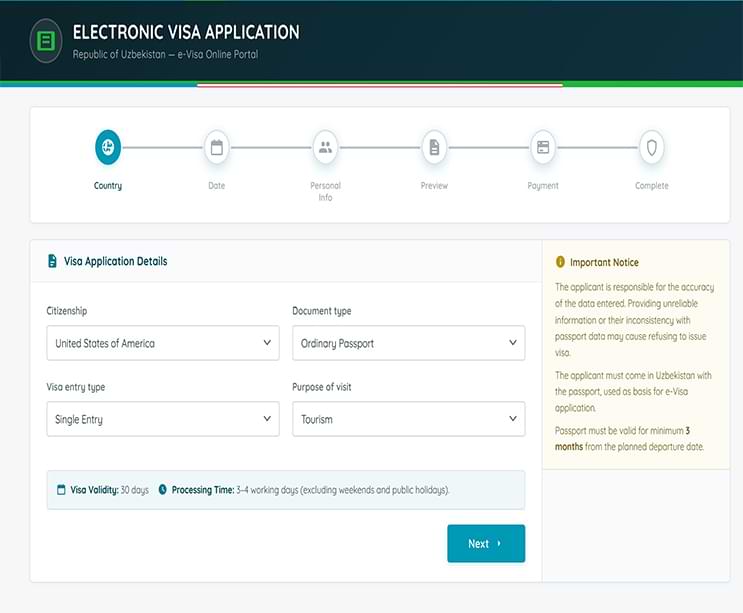
Step 1 — visa application details screen in the online wizard. -
Step 2: Enter Uzbekistan Travel Dates
Specify when you plan to enter and leave the Republic of Uzbekistan.
- Enter your intended arrival date — apply at least three working days before travel.
- Confirm your planned departure so stay length fits e-Visa validity rules.
- e-Visa validity is typically 30 days from the authorised entry window.
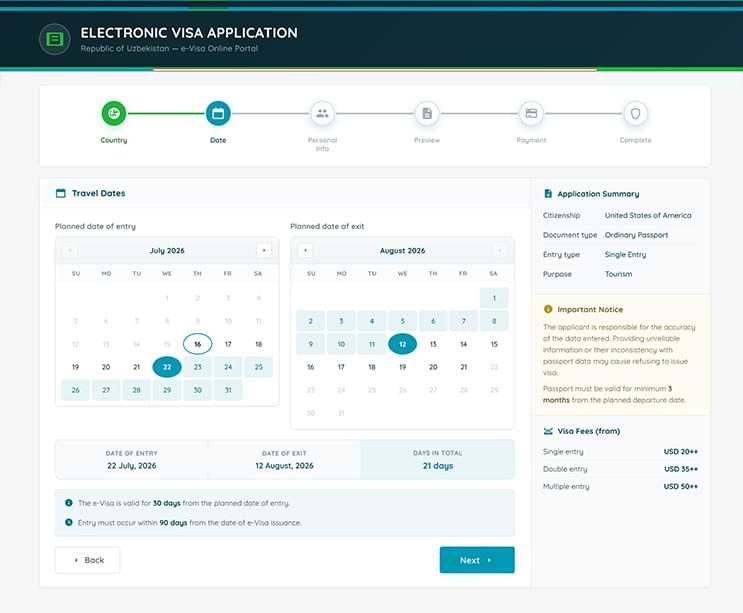
Step 2 — travel dates calendar screen in the application wizard. -
Step 3: Upload Uzbekistan e-Visa Documents
Fill in traveller details and attach mandatory identity files.
- Provide passport biodata, personal details and contact information exactly as printed.
- Upload a colour facial photograph and passport biodata page scan.
- Follow photo & passport rules and full visa requirements.
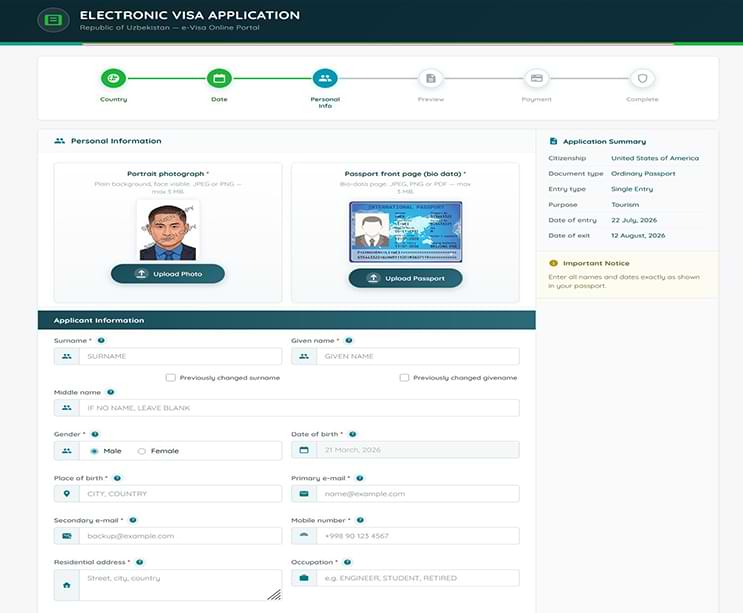
Step 3 — personal information and document upload screen. -
Step 4: Preview Your Uzbekistan e-Visa Application
Review every field and uploaded file before payment.
- Verify passport number, name spelling, travel dates and entry type.
- Confirm uploads are legible and meet format requirements.
- Save your application reference number — required for payment and tracking.
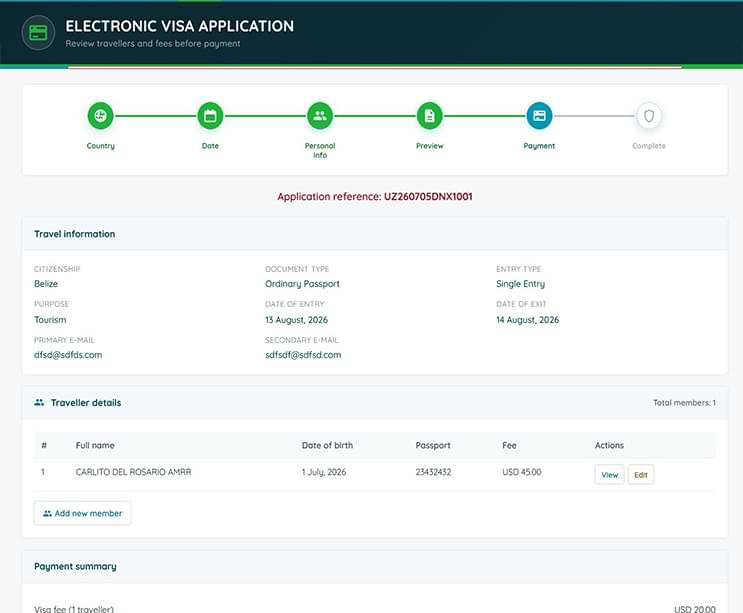
Step 4 — preview travellers and fees before payment. -
Step 5: Pay Uzbekistan e-Visa Fee Online
Submit the consular fee and related charges to finalise your application.
- Pay by debit or credit card through the secure checkout.
- Fees vary by nationality and entry type — use the fee calculator before paying.
- Processing begins after payment confirmation is received.
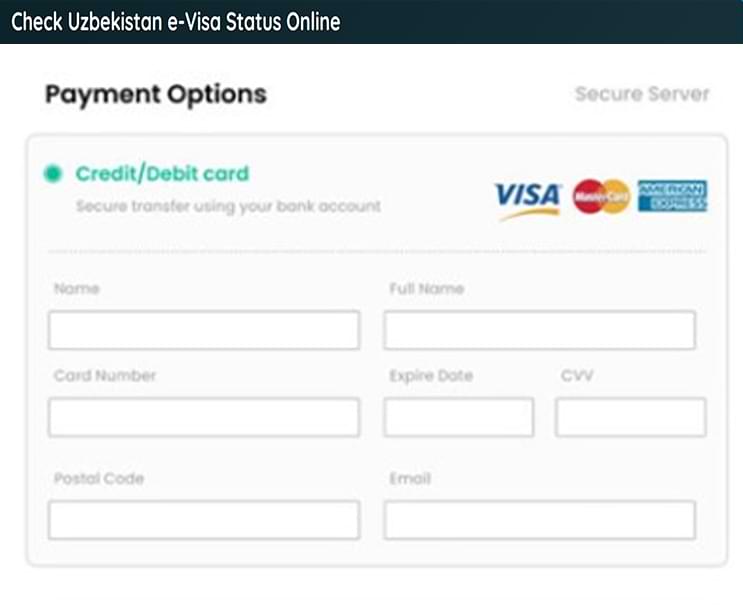
Step 5 — secure payment screen for Uzbekistan e-Visa fee. -
Step 6: Track Uzbekistan e-Visa Status & Receive Approval
After payment, your application is reviewed. The approved Uzbekistan e-Visa is delivered by email.
- Standard processing takes 3–4 working days from payment confirmation.
- Print or save the approval letter for airline check-in and border control.
- Present the e-Visa with your passport at authorised ports of entry.
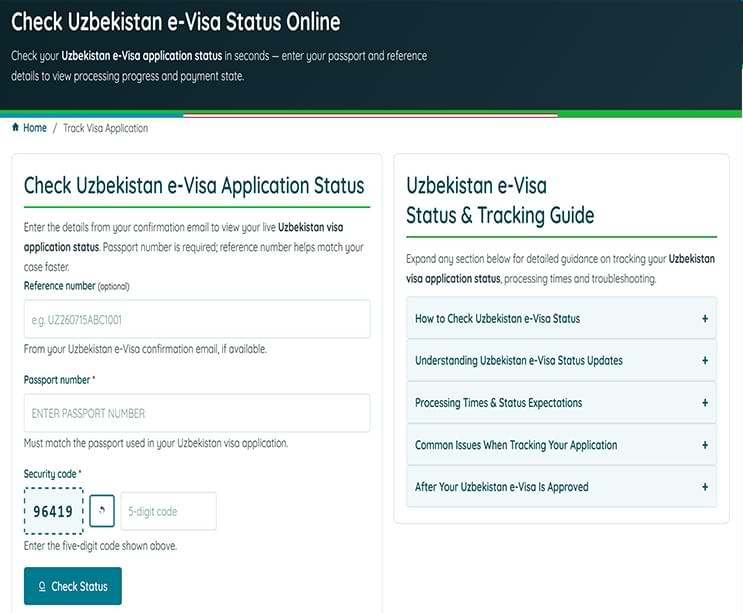
Step 6 — track Uzbekistan e-Visa application status after submission.


Uzbekistan e-Visa Entry at Port of Entry
When you arrive in Uzbekistan, present your valid passport and e-Visa approval letter (printed or digital) to immigration officers. e-Visa holders may enter through designated international airports, land border crossings and railway stations listed on the ports of entry page.
Border officials may ask about your accommodation, return travel and purpose of visit. Keep your approval accessible for airline check-in before departure as well.
Uzbekistan e-Visa Application Tips
- Apply at least three working days before your intended arrival to allow standard processing time.
- Use the same passport for the application that you will carry when entering Uzbekistan.
- Ensure passport scans and photos meet size, format and clarity requirements before uploading.
- Check your spam folder if you do not receive the approval email within the stated timeframe.
- Carry a printed or offline copy of your e-Visa — airlines may request it at departure.
Apply for Uzbekistan e-Visa Online
Start the Uzbekistan visa online application when your passport, travel dates and documents are ready. Track progress anytime on the status page after payment.
Uzbekistan e-Visa Application — Common Questions
How long does it take to complete a Uzbekistan e-Visa application?
Most applicants finish the online form in about 15–20 minutes when passport details and documents are ready. Standard processing after payment takes 3–4 working days.
What documents do I need to apply for a Uzbekistan e-Visa?
You need a colour facial photograph and a clear passport biodata page scan. Supporting documents may be requested depending on nationality and purpose of visit.
When does Uzbekistan e-Visa processing start?
Processing begins after successful online payment. Track progress on the status page using your passport number and application reference.